Apps for Water

December 20th, 2011

charity: water

In the spirit of Christmas, several developers have decided to band together to support a worthwhile cause. That cause is charity: water, an organization devoted to bringing clean, safe water to people in developing nations. While those of us in developed nations may take easy access to clean water for granted, unsafe water is one of the leading killers in developing nations. charity: water takes aim at this problem.

So, we simple app developers have banded together to form Apps for Water. For today, December 20, 2011, we will donate all income to charity: water. For me, that includes sales of Pear Note for Mac here on this site and in Apple’s App Store, as well as sales of Pear Note for iPad in the App Store. There are lots of other great apps to purchase as well, so make sure you check out everything else.

So, buy some useful software and help a great cause. You’ve only got until the end of the day.

Pear Note for iPad

September 8th, 2011

Pear Note for iPad is now available on the App Store!

And, for a limited time, it’s only $4.99.

I won’t spend too much time talking about features here, as you can just click on Pear Note for iPad above to see that. The highlights are:

  • Timestamped audio recording – just like you’re used to in Pear Note for Mac
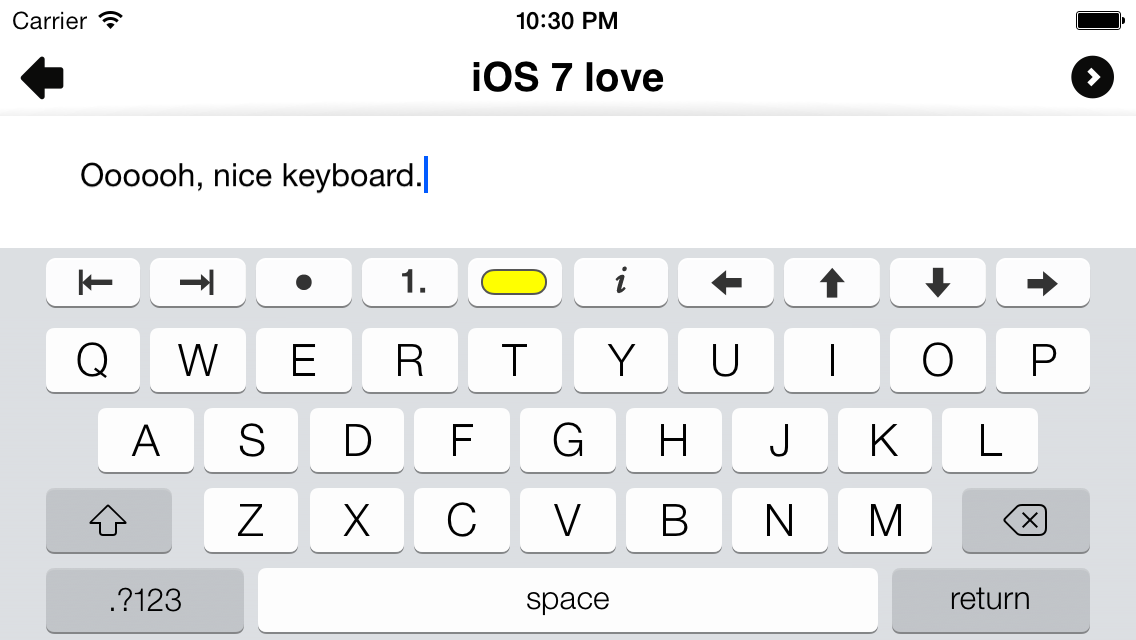
  • Rich text notes – yes, actual rich text notes where you can bold a word, make something a heading, highlight a key point, use bullets or numbered lists to make an outline, and more
  • Dropbox syncing – easily move notes between your iPads and Macs automatically

Frequently Asked Questions

  • What about the iPhone? – I wanted 1.0 to be a universal app for both iPad and iPhone, but the timing didn’t work out. I plan to make a future version universal, but it likely won’t be released before 2012. This is actually one of the reasons I decided to cut the price in half for now. So, buy it now while it’s a deal, then get the update to universal later for free!
  • What about video? – You can play back video recorded in Pear Note for Mac today. I’m considering adding video recording to Pear Note for iPad in a future version if there’s enough demand. So, drop me a note to let me know that you want it if you’re interested.
  • Can I use a bluetooth keyboard with Pear Note for iPad? – Yes
  • Can I use an external USB microphone with Pear Note for iPad? – Believe it or not, yes, though you need the USB adapter from the iPad Camera Connection Kit

Coming soon to an App Store near you

August 31st, 2011

Pear Note for iPad is coming very soon. I can’t say exactly how soon, as Apple is in control of that. It has been submitted to Apple, and will be available for purchase on the App Store whenever they approve it. In the mean time you can learn more about what’s coming by looking at the new Pear Note for iPad page here on this site.

Also, Pear Note for Mac 2.1 is now available. The main change in 2.1 is an updated file format that is compatible with Pear Note for iPad. Pear Note for iPad can sync notes via Dropbox with other iPads or Macs running Pear Note. If you’d like to sync over old notes, you’ll have to open them with Pear Note for Mac 2.1 and re-save them. They’ll be updated to the new file format, making them readable in Pear Note for iPad.

There’s another small but very important change in Pear Note 2.1. Pear Note and Lion did not get along as well as I had hoped, resulting in a bug there that could cause recordings to disappear. I apologize to any of you that lost recordings due to this, but it’s fixed in Pear Note 2.1. If you’ve upgraded to Lion, I recommend you update Pear Note for Mac to 2.1 immediately to avoid running into this.

Pear Note on TeacherCast

July 21st, 2011

I was interviewed on the TeacherCast podcast about Pear Note’s use in the classroom. Thanks very much to Jeff for the talk and for spreading the word about helpful technologies in education. Check it out at their site or in iTunes.

Pear Note in Lion

July 4th, 2011

A new major version of Mac OS X, version 10.7 dubbed Lion, is about to be released. I’ve gotten some questions about how Pear Note will work in Lion and I wanted to answer them here. First, let me say that Pear Note will continue functioning just as it does today on Snow Leopard when Lion ships with one exception (which I’ll get to shortly). So, feel free to upgrade away and don’t worry about losing Pear Note.

There are a bunch of new features in Lion that apps can take advantage of which many of you have asked about, including Resume, Auto Save and Versions, and Full Screen. While I would love for Pear Note to support some of these new features right away, they require some major reworking of Pear Note. So, Pear Note will continue working as it did on Snow Leopard and not use these features for a little while. Once I get the iOS version of Pear Note released, then I’ll look at incorporating some of these Lion features in.

Importing Keynote and Powerpoint slides

As I said above, there’s one thing that’s not going to keep working in Lion. The method I use to import Keynote and Powerpoint slides files does not work any more in Lion. The truth is, it never worked perfectly, and often had trouble with complicated presentations. So, Pear Note is dropping support for importing Powerpoint and Keynote files as of version 2.0.6 (just released). It will continue to work on Leopard and Snow Leopard as it has before, but it is being dropped as an official feature (meaning it won’t be advertised as a feature any more).

Don’t worry that you won’t be able to use the slides part of Pear Note any more, though. You just have to convert your slides to PDF using their respective applications before adding them to your Pear Note document. This is a much, much more reliable way of importing the slides, as Powerpoint is excellent at reading Powerpoint files and Keynote is excellent at reading Keynote files (it’s like they were made to do it). More detailed instructions on how to do this are available here.

Thanks for your understanding.

Pear Note’s use in film

May 28th, 2011

On this week’s Mac Power Users podcast, they interviewed comedian, writer, actor, and director David Wain. You may know of him from The State, MADtv, Role Models, Children’s Hospital, or his upcoming movie starring Jennifer Aniston and Paul Rudd, Wanderlust. In the podcast, David describes his workflow for making a movie and the tools he uses along the way. One of those tools is Pear Note.

In the interview, he talks about using Pear Note for notes sessions on readings of the script as well as screenings with producers and studio personnel. He also talks about using Pear Note to keep track of what parts get laughs during early screenings. The whole interview is great (Pear Note’s part happens just after the 22 minute mark).

I love hearing different ways Pear Note is used, and I’m glad to hear it’s so helpful in movie making. I have to say, when I set out to make a note-taking tool, I was picturing classrooms and conference rooms. I never would have dreamed it would be used to help make a major motion picture.

Pear Note 2.0.5

May 10th, 2011

Pear Note 2.0.5 is now out. This is a maintenance release, and is now available for update from here or through the Mac App Store.

Pear Note 2.0.5 includes improvements to the web player created when you share your notes. These include compatibility with new versions of Mobile Safari on the iPad. This means that when you share your notes now, they’ll be playable on the iPad as well as in the browser. If you’ve had problems with your old notes playing back on the iPad, now you can just re-share them after updating to 2.0.5 and they should now play.

Pear Note 2.0.5 also has a new preference to set how much time to jump back when you hit the jump back button. 30 seconds is still the default, but if you miss the 10 seconds jump from Pear Note 1 or want something else, you can now set it to whatever you like.

So, update away and enjoy!

Japan relief

March 17th, 2011

I’m sure all of you are aware of the devastation in Japan. I, like many of you, want to help out. So, I’m donating all sales revenue for tomorrow, March 18, 2011, to relief efforts. This will include revenue from sales here on this site as well as the Mac App Store, but not from Amazon (as I currently have no way of figuring out when sales at Amazon happened).

As I did last year with Haiti, I will be donating to UMCOR, the relief organization associated with the United Methodist Church. If you’re not into the church thing, don’t worry. This is an organization that is focused on helping people with their basic needs, as I’ve seen first-hand when I volunteered with them in the past. Even better, they get lots of volunteer labor, so funds donated to them can be used efficiently.

So please spread the word. Tomorrow is a great day to buy Pear Note. You’ll get some great software, and help those in need as well.

Pear Note on Amazon

March 15th, 2011

A few months ago, the only place to purchase Pear Note was right here. Then the Mac App Store gave you another choice. Now, Pear Note is also available for purchase from Amazon through their Software Downloads store.

Pear Note on Amazon

What you get from Amazon is identical to what you get here. The only difference is that you’re paying Amazon instead of me directly.

A plea for reviews

If you check out the listing on Amazon, please think about rating/reviewing the app there. I do not think you are required to have purchased the app through Amazon to review it there. So, please consider rating/reviewing it there to help Amazon shoppers checking it out.

Also, if you’ve purchased Pear Note through Apple’s Mac App Store, please don’t forget to rate/review Pear Note there as well. It’s a great way to help others find Pear Note.

Pear Note use in user experience research

March 11th, 2011

I love hearing about people using Pear Note in different fields. Harry Brignull just posted about his use of Pear Note in user experience research. I know several others have also used Pear Note in fields that have interviews or sessions with individuals.

If you use Pear Note in some way beyond the norm, please let me know. I’d love to post about it here or have you write a guest post.